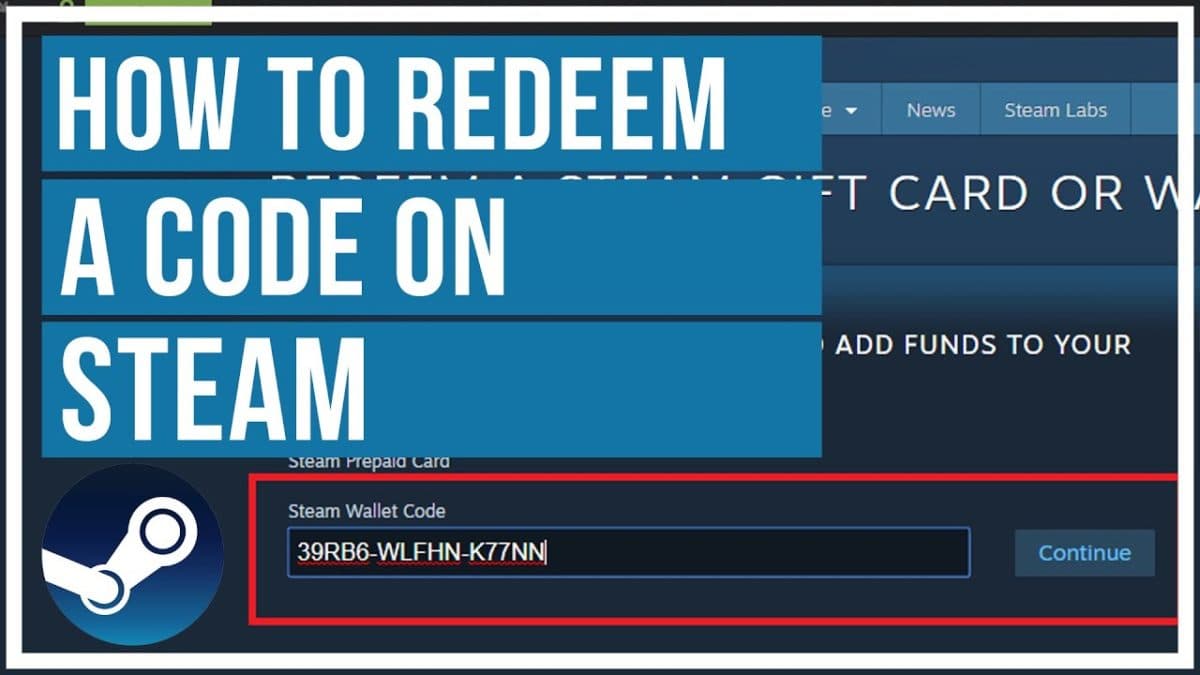
Got a Steam gift card sitting in your inbox or your wallet and not sure what to do with it? Redeeming a Steam gift card takes less than a minute when everything goes right — but region locks, currency mismatches, and typo'd codes trip up more people than you'd think. This guide walks through the exact redemption steps and covers every common error message Steam throws, with a fix for each one.
How to Redeem a Steam Gift Card (Step by Step)
- Open the Steam client on desktop, or go to store.steampowered.com/account/redeemwalletcode in a browser.
- Log in to the Steam account you want to add funds to.
- Click your username in the top right, then select Account Details.
- Under the Store & Purchase History section, click + Add funds to your Steam Wallet.
- Choose Redeem a Steam Gift Card, Wallet Code, or Gift.
- Type or paste the code exactly as printed — Steam codes use a mix of capital letters and numbers, with no lowercase letters.
- Click Continue, then confirm. The balance appears in your Steam Wallet immediately.
Tip: If you're on mobile, use the Steam app's built-in browser rather than Safari or Chrome directly — some users report the redemption page not loading properly in outside browsers.
Common Steam Gift Card Errors & How to Fix Them
"This wallet code is not valid"
This usually means one of three things: the code was typed incorrectly (0 vs O and 1 vs I are easy to confuse), the card hasn't been activated at the point of sale, or the code has already been redeemed by someone else. Double-check every character first. If the card was purchased from an unofficial third-party reseller, ask for a replacement or refund — this is also the most common symptom of an already-used or fraudulent code.
"This wallet code is not valid in your country/region"
Steam wallet codes are region-locked to the currency they were purchased in. A code bought in USD can only be redeemed on an account whose Steam Wallet is also set to USD — it cannot be applied to a EUR or GBP wallet, even on the same account. Steam does not offer a way to convert between currencies after the fact.
Important: Your Steam Wallet currency is set the first time you add funds and generally cannot be changed afterward except through a support ticket in very limited cases. Always buy a gift card that matches your account's existing wallet currency.
"You must be logged in with a Steam account in order to complete this transaction"
This one is simple — your session expired. Log out fully, log back in, and try redeeming again before doing anything else.
"Please try again later" or a blank/loading error
This is almost always a temporary problem on Steam's end, especially during major sales (Summer Sale, Winter Sale) when traffic spikes. Wait 15–30 minutes and retry. If it persists for more than a few hours, check the Steam server status page before assuming the code itself is broken.
Code redeemed but balance not showing
Refresh the Steam client (or restart it) and check Account Details again. If the balance still doesn't appear after a few minutes, check your email for a confirmation receipt — if you received one, the funds are there and it's a display/cache issue, not a lost code.
| Error Message | Most Likely Cause | Fix |
| Wallet code is not valid | Typo, inactive card, or already redeemed | Re-check characters; request replacement if from a reseller |
| Not valid in your country/region | Currency mismatch between code and wallet | Buy a code in your wallet's exact currency |
| Must be logged in | Expired session | Log out and back in, then retry |
| Try again later | Steam server load | Wait 15–30 minutes and retry |
| Balance not showing | Client cache | Restart Steam client, check email receipt |
How to Avoid Errors Before They Happen
- Buy your Steam Wallet code in the same currency your Steam account already uses.
- Only buy from a reputable, verified seller — unofficial marketplaces are the top source of already-redeemed or fraudulent codes.
- Keep your receipt or order confirmation until the balance is confirmed in your wallet.
- Redeem the code as soon as possible after purchase rather than letting it sit unused for months.